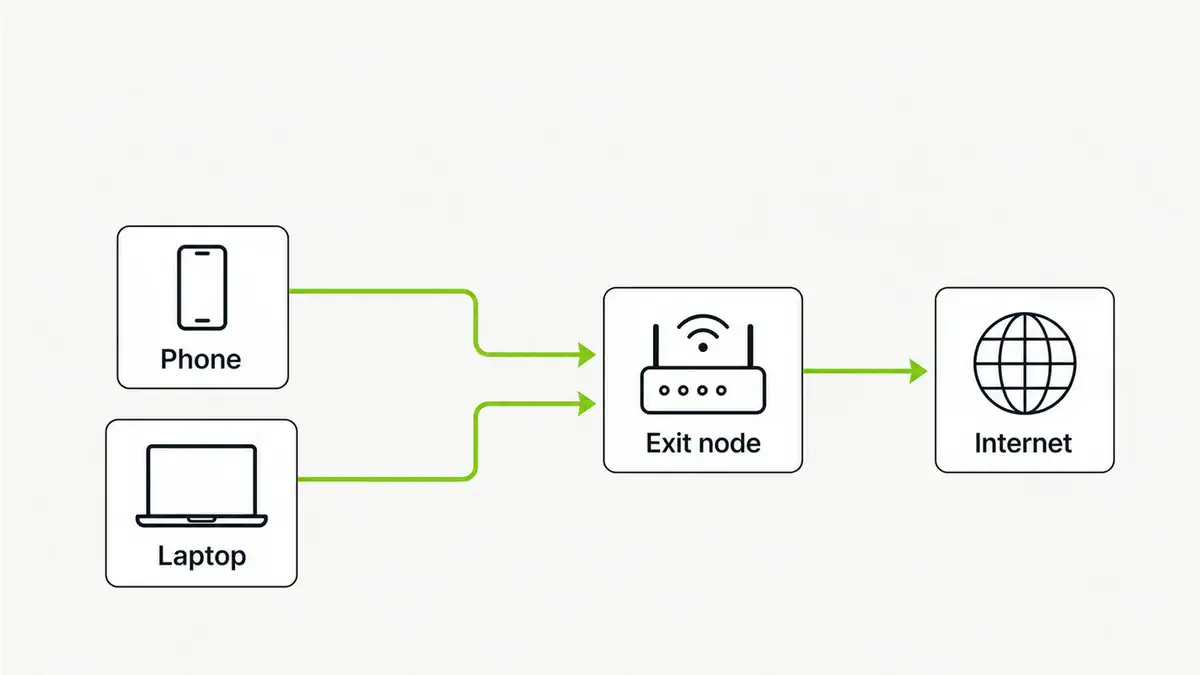
Updated June 2026. A Tailscale exit node lets your phone or laptop send all its internet traffic through one device on your tailnet — like a personal VPN back home. It is a few commands to set up. Here is how, and when to use it.
Quick answer
On the device you want to route through, run tailscale up --advertise-exit-node (with IP forwarding enabled), approve it in the admin console, then on any client run tailscale up --exit-node=<node-ip>. All that client’s traffic now exits via that node. It builds on Tailscale’s WireGuard mesh, so there is no port forwarding to configure.
Step 1: Advertise the exit node
On the home device (Linux example), enable IP forwarding, then advertise:
echo 'net.ipv4.ip_forward = 1' | sudo tee /etc/sysctl.d/99-tailscale.conf
echo 'net.ipv6.conf.all.forwarding = 1' | sudo tee -a /etc/sysctl.d/99-tailscale.conf
sudo sysctl -p /etc/sysctl.d/99-tailscale.conf
sudo tailscale up --advertise-exit-node
Step 2: Approve it
In the Tailscale admin console, open the machine, and under its route settings enable the exit node. Approval is required once before clients can use it.
Step 3: Use it from a client
tailscale up --exit-node=100.x.y.z
# stop using it
tailscale up --exit-node=
On phones, pick the exit node from the Tailscale app menu. Now that device’s traffic appears to come from your home connection — handy on public Wi-Fi or for reaching region-locked home services.
Troubleshooting
- Clients get no internet via the exit node. IP forwarding is not enabled on the node. Confirm the sysctl settings and re-run
tailscale up --advertise-exit-node. - Exit node not selectable. It has not been approved in the admin console yet.
- DNS still leaks locally. Enable “Use exit node DNS” so lookups also route through the node.
FAQ
What is a Tailscale exit node?
A device on your tailnet that other devices route all their internet traffic through, similar to a VPN server. It lets you browse as if you were on that device’s network.
Why use an exit node instead of a normal VPN?
It reuses your existing Tailscale mesh with no port forwarding or server config, and it routes through a device you own and trust, such as a home Raspberry Pi.
Do I need to forward ports for a Tailscale exit node?
No. Tailscale handles NAT traversal automatically, so exit nodes work without any port forwarding, even behind CGNAT in most cases.
Can a Raspberry Pi be an exit node?
Yes. A Pi makes an excellent low-power exit node. Enable IP forwarding, advertise it, and approve it in the console.
Does the exit node route DNS too?
Only if you enable the exit node DNS option. Otherwise DNS may still use local settings, which can leak your location.
Sources checked
Final take
An exit node turns any device on your tailnet into a personal VPN endpoint with almost no configuration. Advertise it, approve it, enable it on clients, and remember IP forwarding and exit-node DNS. New to Tailscale? Start with Tailscale vs WireGuard.
Get notified whenever I post something new. No spam, and it helps a lot!


Leave a Reply