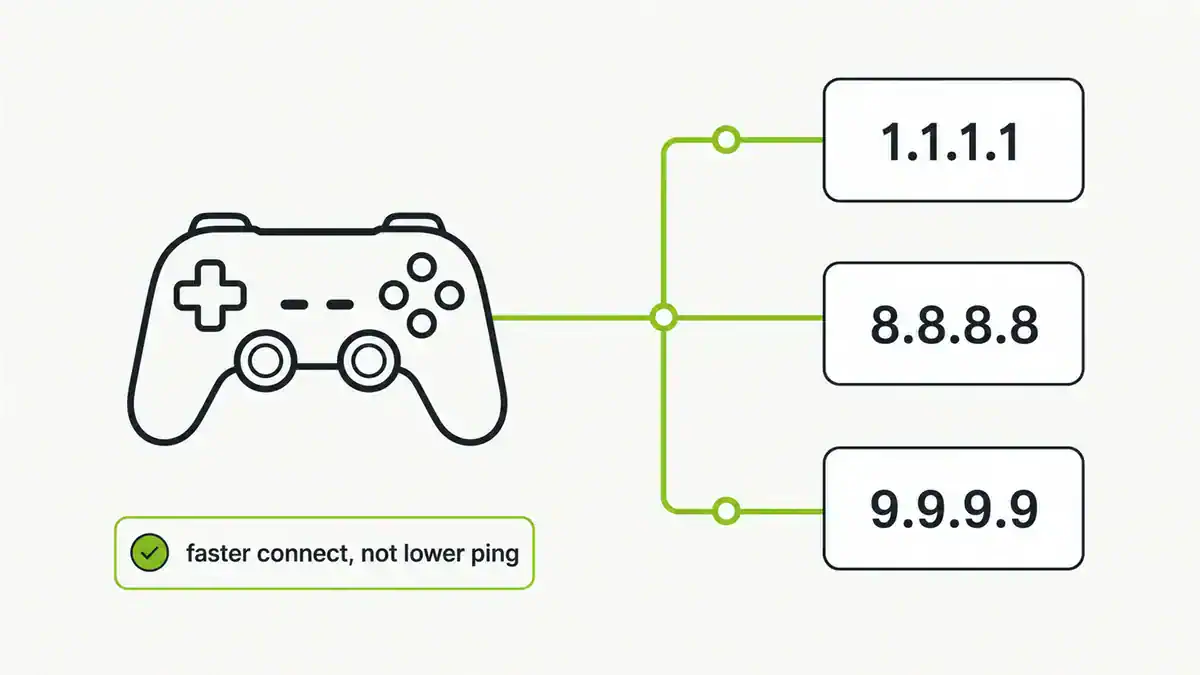
Updated June 2026. “Best DNS for gaming” is a popular search, but DNS is widely misunderstood here. A fast resolver helps connection and matchmaking speed — it does not lower your in-game ping. Here is what DNS actually does for gaming, and the resolvers worth using.
Quick answer
Use a fast, reliable public resolver such as Cloudflare (1.1.1.1), Google (8.8.8.8), or Quad9 (9.9.9.9). They resolve names quickly and stay up, which speeds up connecting to game servers, matchmaking, and downloads. They will not reduce your ping once you are in a match — that is down to routing and distance, not DNS. Set your chosen server on your router or console.
What DNS does and does not do for gaming
- Does: speeds up the initial name lookup for game services, stores, and updates.
- Does: improves reliability, so connections and logins fail less often.
- Does not: lower in-game ping or latency during a match.
- Does not: increase your bandwidth or download speed cap.
Top resolvers for gamers
| Provider | Primary / secondary | Why |
|---|---|---|
| Cloudflare | 1.1.1.1 / 1.0.0.1 | Consistently fast, privacy-focused |
| 8.8.8.8 / 8.8.4.4 | Very reliable, widely available | |
| Quad9 | 9.9.9.9 / 149.112.112.112 | Blocks malware domains |
| Your ISP | varies | Sometimes fastest locally — worth testing |
The truly fastest resolver depends on your location, so it is worth testing a couple. For a deeper look at each, see the best public DNS providers.
How to set it
Set DNS on your router to cover console and PC at once, or on each device. Consoles let you set DNS in network settings; PCs use adapter settings. Full steps are in how to change your DNS server. After changing, flush DNS and test.
FAQ
Does changing DNS reduce ping in games?
No. DNS only affects name lookups, not the latency of your gameplay connection. Ping depends on the route and distance to the game server, which DNS does not change.
What is the best DNS for gaming?
A fast, reliable public resolver like Cloudflare 1.1.1.1, Google 8.8.8.8, or Quad9 9.9.9.9. The best one for you depends on your location, so test a couple.
Can DNS improve matchmaking or downloads?
It can speed up connecting to services and starting downloads by resolving names faster and more reliably, but it does not raise your download speed cap.
Should I set gaming DNS on my console or router?
The router is easiest because it covers every device. Set it per console only if you want different DNS on specific devices.
Is my ISP DNS bad for gaming?
Not necessarily. ISP DNS is sometimes the fastest locally but can be less reliable. Test it against a public resolver and pick whichever resolves quicker for you.
Sources checked
Final take
Pick a fast, reliable resolver for quicker connecting and fewer failed logins — but do not expect lower ping, which DNS cannot change. Set it on your router, test against your ISP, and read the full provider comparison to choose.
Get notified whenever I post something new. No spam, and it helps a lot!


Leave a Reply