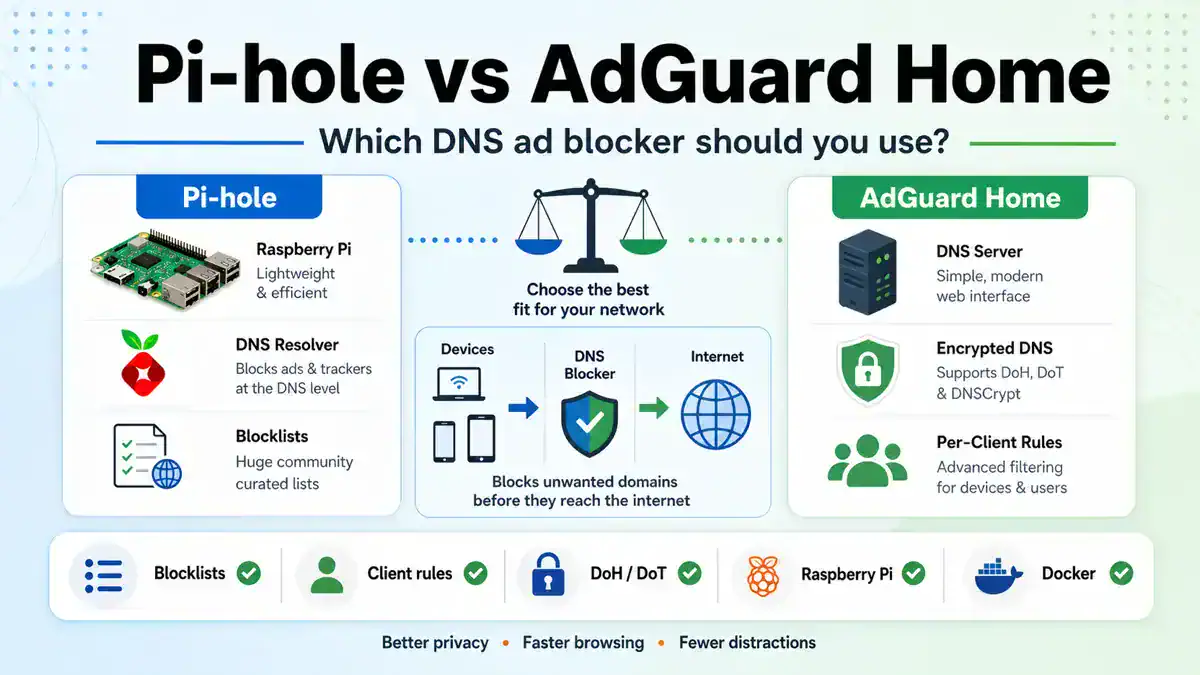
Updated June 2026: Pi-hole and AdGuard Home solve the same core problem: network-wide DNS blocking for ads, trackers, telemetry, malware domains, and unwanted domains. The right choice depends less on which one is “best” and more on how you want to run DNS, manage blocklists, handle encrypted DNS, and troubleshoot client devices.
This guide compares Pi-hole vs AdGuard Home for home networks, homelabs, Raspberry Pi installs, Docker, per-client filtering, blocklists, encrypted DNS, performance, and maintenance. If you already run Pi-hole, pair this with my Best 2026 Pi-hole Blocklists and Pi-hole Not Blocking Ads troubleshooting guide. If you choose AdGuard Home, use Best AdGuard Home Blocklists for 2026 for the matching list setup.
Quick answer
Choose Pi-hole if you want the most familiar community DNS blocker, strong Raspberry Pi support, simple gravity blocklist management, and lots of guides. Choose AdGuard Home if you want a more modern all-in-one interface, built-in encrypted DNS options, easier per-client rules, and a single binary style deployment. Both can work well; the best one is the one you can maintain and troubleshoot.
Pi-hole vs AdGuard Home at a glance
| Feature | Pi-hole | AdGuard Home |
|---|---|---|
| Core job | DNS sinkhole/blocker for network-wide filtering | DNS blocker/filtering DNS server |
| Best fit | Raspberry Pi, homelabs, community-driven DNS filtering | Modern UI, all-in-one DNS filtering, encrypted DNS features |
| Blocklists | Gravity adlists, regex, allow/deny lists, groups | DNS blocklists, custom filtering rules, allow/block lists |
| Per-client filtering | Supported through groups, but can feel more manual | Strong built-in client and device rule workflow |
| Encrypted DNS | Usually added with extra components or upstream choices | Built-in DoH, DoT, and related DNS encryption features |
| Install style | Installer, packages, Docker, Raspberry Pi friendly | Single binary style, Docker, service install options |
| Community content | Huge amount of tutorials and blocklist guidance | Strong official docs and active project, less Pi-specific lore |
What Pi-hole does well
Pi-hole is the default recommendation for a reason. It is widely documented, easy to install on Raspberry Pi OS, and familiar to a huge number of homelab users. If someone in your house asks why a website broke, there is a good chance the answer is already in a Pi-hole forum thread, guide, or blocklist discussion.
- Raspberry Pi support is excellent. Pi-hole is a natural fit for small always-on hardware.
- Gravity is simple to understand. Add lists, update gravity, check query logs, tune allowlists.
- The community is huge. That matters when troubleshooting odd clients, blocklists, routers, and DNS leaks.
- It fits classic homelab DNS workflows. Local DNS records, conditional forwarding, DHCP options, and query logs are straightforward.
If your goal is “I want a reliable DNS blocker on a Raspberry Pi and I want lots of examples to follow,” Pi-hole is still a safe choice. My full install path is here: How to Install and Configure Pi-hole on Raspberry Pi OS.
What AdGuard Home does well
AdGuard Home feels more integrated out of the box. Its interface is modern, its client filtering workflow is clean, and encrypted DNS support is more central to the product. If you want a DNS blocker that feels like a compact appliance rather than a classic Linux stack, AdGuard Home is appealing.
- Per-client rules are easy to manage. This is useful when kids’ devices, TVs, servers, and work laptops need different policies.
- Encrypted DNS support is built in. DNS-over-HTTPS and DNS-over-TLS are easier to reason about in one interface.
- Deployment is tidy. The single-binary style and Docker options are convenient for servers and NAS setups.
- Filtering settings are approachable. Many people find the UI easier for day-to-day rule changes.
If your goal is “I want a polished DNS filtering appliance with client rules and encrypted DNS built in,” AdGuard Home is worth testing.
Blocklists and filtering rules
Both tools are only as good as the DNS path and the lists/rules you maintain. More lists do not automatically mean better blocking. They often mean more false positives and slower troubleshooting.
For Pi-hole, I prefer a small maintained list setup: HaGeZi Multi Normal or OISD Big as the main list, then one or two focused lists only if you know why you need them. That advice is in Best 2026 Pi-hole Blocklists. For AdGuard Home, use the same discipline: start small, test, then add lists based on evidence from the query log. I keep the AdGuard-specific setup in Best AdGuard Home Blocklists for 2026.
Per-client filtering
If every device gets the same policy, either tool is fine. If you want different rules for phones, kids’ tablets, smart TVs, lab servers, and work laptops, AdGuard Home usually feels cleaner. Pi-hole can do per-client policy through groups, but it can feel more manual when you are changing rules often.
| Use case | Better fit | Why |
|---|---|---|
| One policy for the whole house | Either | Simple DNS blocking works well in both |
| Different policies by device | AdGuard Home | Client rules are more central in the UI |
| Classic homelab DNS with local records | Pi-hole | Very familiar workflow and tutorials |
| DNS filtering for a mixed family network | AdGuard Home | Client profiles are easier to operate day to day |
Encrypted DNS: DoH, DoT, and DNSCrypt
AdGuard Home has the advantage if encrypted DNS is a must-have in the DNS blocker itself. Pi-hole can absolutely be part of an encrypted DNS design, but you often add another component or upstream resolver choice. That is not bad; it is just another moving piece.
For most homes, encrypted DNS inside the LAN is less important than making sure clients actually use the DNS blocker. Browser Secure DNS, Android Private DNS, VPN DNS, and IPv6 DNS can all bypass your blocker if you do not design the network carefully. I covered those leak points in Pi-hole Not Blocking Ads.
Performance and reliability
Both are lightweight enough for normal home networks. Performance problems are usually not caused by the blocker itself; they come from bad upstream DNS, a weak SD card, too many lists, broken IPv6 DNS, Docker networking mistakes, or clients bypassing your intended resolver.
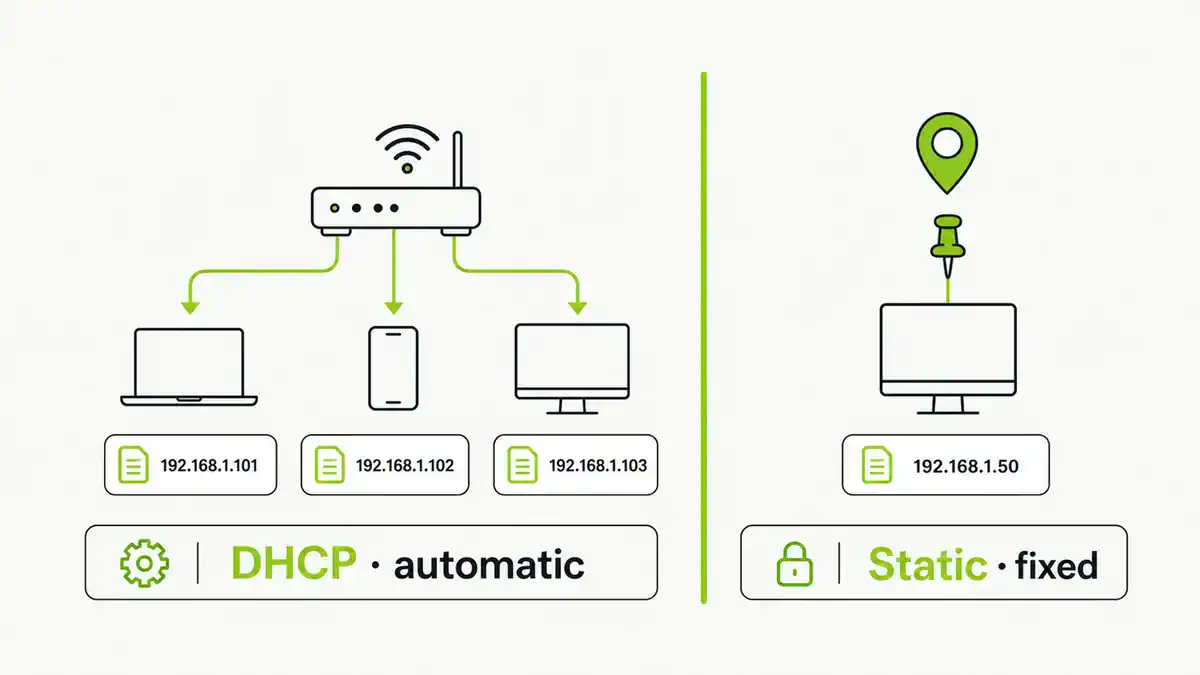
- Use a stable device with a static IP or DHCP reservation.
- Use one DNS path you understand.
- Do not give clients a public DNS fallback that bypasses filtering.
- Pick reliable upstream resolvers from the public DNS provider guide.
- Keep blocklists maintained rather than massive.
Docker, NAS, and Raspberry Pi installs
Pi-hole is still the easiest mental model for Raspberry Pi installs because so many guides assume that path. AdGuard Home is very neat in Docker or on a small server/NAS because the application is self-contained and the web UI feels appliance-like.
If you run either tool in Docker, pay attention to port 53, host networking, macvlan/bridge choices, IPv6, and whether the container is actually reachable by client devices. A DNS blocker that only the host can reach will look installed but not block anything.
Which one should you choose?
| Choose | When |
|---|---|
| Pi-hole | You want the most common homelab choice, Raspberry Pi guides, gravity blocklists, simple DNS blocking, and a huge troubleshooting community. |
| AdGuard Home | You want an integrated UI, easier per-client policy, built-in encrypted DNS options, and a compact appliance-style install. |
| Both in a lab | You want to test filtering behavior before committing, or you enjoy comparing DNS logs and client policy workflows. |
| Neither yet | You have not fixed router DHCP, IPv6 DNS, or client DNS bypasses. Solve the DNS path first. |
My practical recommendation: start with Pi-hole if this is your first DNS blocker or your main target is Raspberry Pi. Test AdGuard Home if you care about per-client policy, encrypted DNS, or a cleaner single-app interface. Either way, avoid the trap of endlessly adding lists instead of reading the query log.
FAQ
Is AdGuard Home better than Pi-hole?
AdGuard Home is better for some networks, especially when you want built-in encrypted DNS and easy per-client rules. Pi-hole is better if you want the most common community setup, Raspberry Pi guidance, and familiar gravity blocklist management.
Can Pi-hole and AdGuard Home block YouTube ads?
Not reliably. YouTube and some streaming apps can serve ads from domains that also serve normal content. DNS blockers are excellent for many tracking and ad domains, but they cannot inspect page or app content like a browser content blocker.
Can I run Pi-hole and AdGuard Home together?
You can, but most homes should not chain DNS blockers unless they know why. Chaining makes troubleshooting harder because you need to know which layer blocked or allowed each domain.
Which is easier for beginners?
Pi-hole is easier if you follow Raspberry Pi tutorials. AdGuard Home is easier if you prefer a modern interface and fewer moving parts in the app itself. Router DHCP and DNS path setup are the real beginner hurdles for both.
Which one is faster?
For normal home use, both are fast enough. Upstream resolver choice, network latency, hardware reliability, and list design usually matter more than the application choice. If you want to drop the upstream forwarder altogether and resolve recursively, see how to set up Pi-hole with Unbound.
Sources checked
- Pi-hole post-install documentation
- Pi-hole command documentation
- Official AdGuard Home project
- Official AdGuard Home wiki
Get notified whenever I post something new. No spam, and it helps a lot!


Leave a Reply