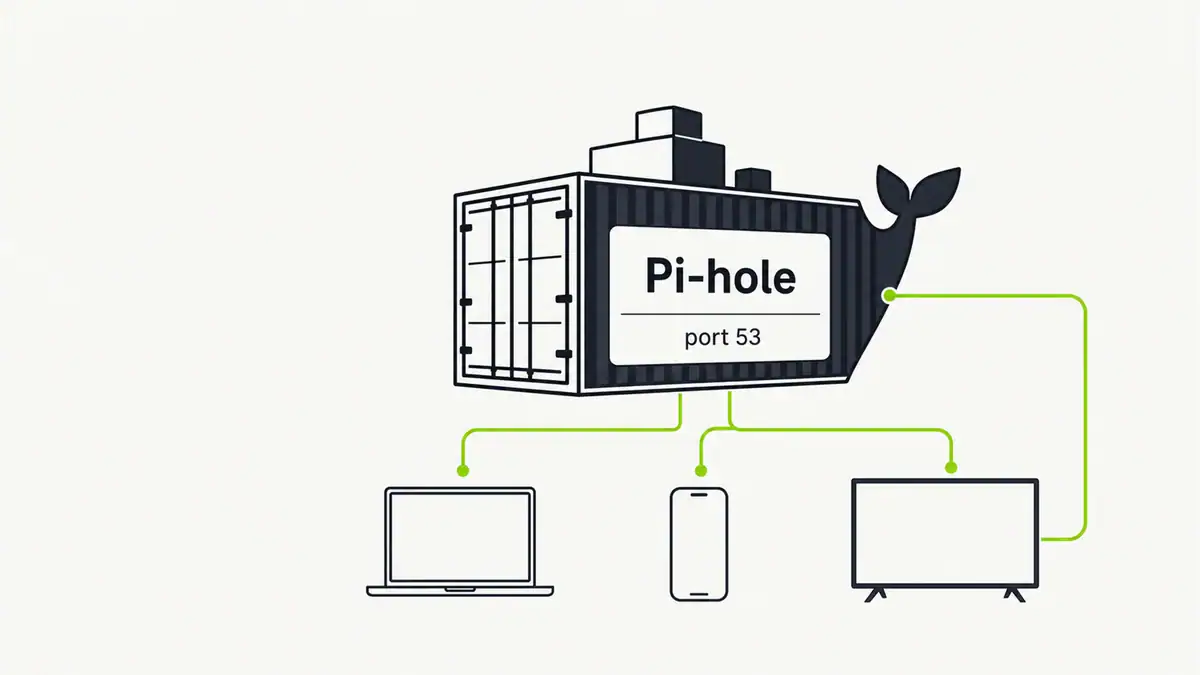
Updated June 2026. Running Pi-hole in Docker keeps it isolated, easy to update, and simple to move between hosts. With Pi-hole v6 and a short compose file you can have network-wide ad blocking running in minutes. Here is the clean setup, including the one gotcha: port 53.
Quick answer
Use a docker-compose.yml that maps ports 53 (DNS) and 80 (admin), sets the timezone and web password, and persists /etc/pihole. The one catch on Linux hosts is that systemd-resolved already uses port 53, so you must free it first. Once the container is up, point your router or devices’ DNS at the host’s IP and add your blocklists.
Step 1: Free up port 53 (Linux hosts)
Many Linux distros run systemd-resolved on port 53. Disable its stub listener so Pi-hole can bind it:
sudo sed -i 's/#DNSStubListener=yes/DNSStubListener=no/' /etc/systemd/resolved.conf
sudo systemctl restart systemd-resolved
Step 2: docker-compose.yml
services:
  pihole:
    container_name: pihole
    image: pihole/pihole:latest
    ports:
      - "53:53/tcp"
      - "53:53/udp"
      - "80:80/tcp"
    environment:
      TZ: 'Australia/Sydney'
      FTLCONF_webserver_api_password: 'change-me'
      FTLCONF_dns_listeningMode: 'all'
    volumes:
      - './etc-pihole:/etc/pihole'
    restart: unless-stopped
Step 3: Start and point your network at it
docker compose up -d
docker compose logs -f pihole
Open http://<host-ip>/admin, log in, and set your router’s DNS (or each device’s) to the host’s IP so all queries flow through Pi-hole. To resolve queries yourself instead of forwarding, add Unbound.
Troubleshooting
- Container won’t start / port 53 in use.
systemd-resolvedor another resolver still holds it. Confirm withsudo ss -tulpn | grep :53and disable the stub listener. - Ads not blocked on one device. That device may use its own DoH — see Pi-hole not blocking ads and DNS over HTTPS.
- Admin page unreachable. Check the port 80 mapping does not clash with another web server on the host.
FAQ
Is Pi-hole in Docker as good as a bare-metal install?
Yes. It performs the same and is easier to update, back up, and move. The main difference is you manage it through Docker rather than the host package manager.
Why won’t Pi-hole bind port 53 in Docker?
On Linux, systemd-resolved usually occupies port 53. Disable its stub listener in /etc/systemd/resolved.conf and restart the service, then Pi-hole can bind it.
How do I set the admin password in Pi-hole v6 Docker?
Set the FTLCONF_webserver_api_password environment variable in your compose file. Pi-hole v6 uses the FTLCONF_ variables for configuration.
Can I add Unbound to a Docker Pi-hole?
Yes, either as a second container or by pointing Pi-hole’s upstream at an Unbound instance. This gives you recursive, private DNS on top of ad blocking.
Do I need to forward ports for Pi-hole?
No. Pi-hole serves your local network, so you only expose it on the LAN. Never expose Pi-hole’s DNS to the public internet as an open resolver.
Sources checked
Final take
Docker is the tidiest way to run Pi-hole: one compose file, easy updates, simple backups. Free port 53, bring up the container, point your network at it, and tune your blocklists. Add Unbound when you want recursive, private DNS too.
Get notified whenever I post something new. No spam, and it helps a lot!


Leave a Reply