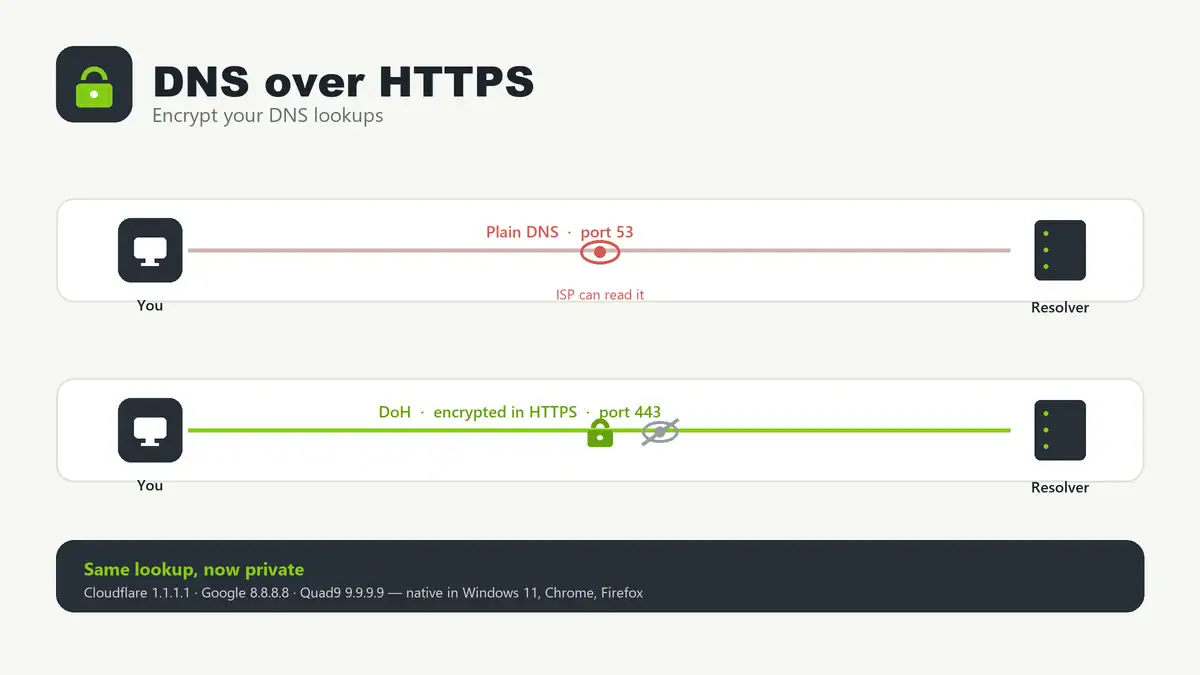
Updated June 2026. DNS over HTTPS (DoH) encrypts your DNS lookups by wrapping them inside ordinary HTTPS traffic on port 443, so your ISP and anyone on the network can no longer see or tamper with the domains you visit. It is easy to turn on — Windows 11, Chrome, Firefox, and most routers support it natively — but there is one catch worth understanding first: browser-level DoH can quietly bypass a Pi-hole or router-based filter. This guide covers what DoH is, how to enable it everywhere, and how to keep it from breaking your local DNS setup.
Quick answer
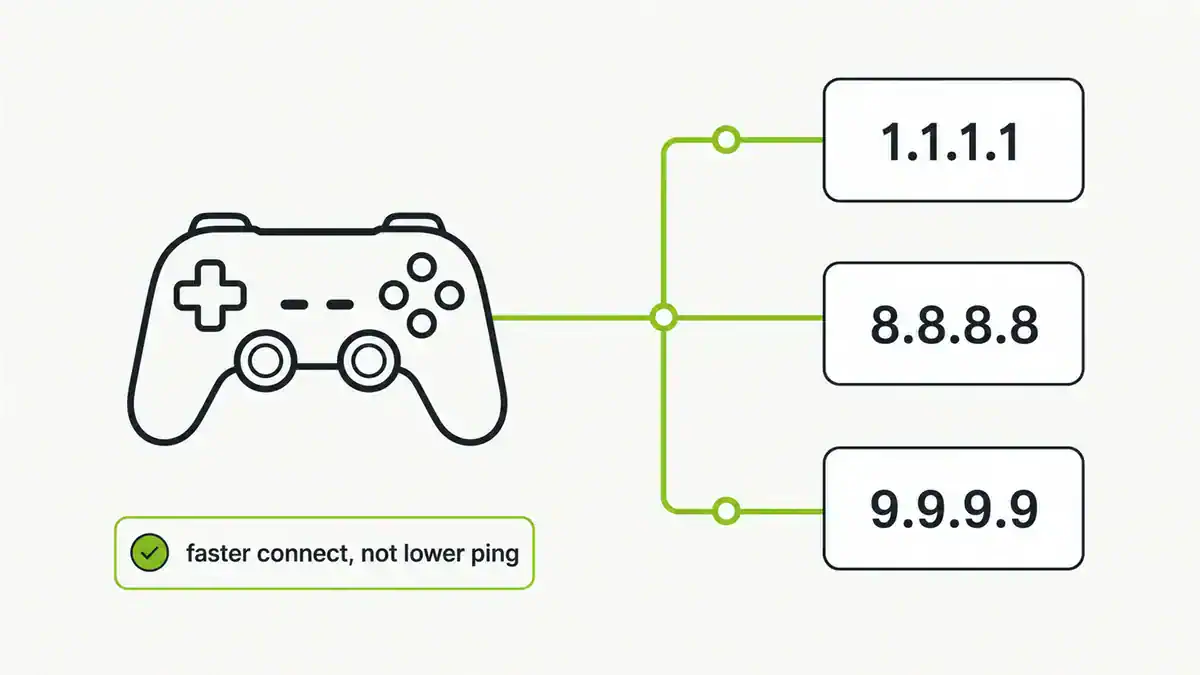
DoH sends your DNS queries over an encrypted HTTPS connection to a resolver such as Cloudflare (1.1.1.1), Google (8.8.8.8), or Quad9 (9.9.9.9). Enable it in Windows 11 under DNS settings, in Chrome and Firefox under secure/private DNS, or at the router so every device is covered. The one thing to watch: if a browser uses its own DoH resolver, it skips your local DNS — so if you run Pi-hole, either turn off in-browser DoH or run DoH at the Pi-hole itself.
What DoH actually does
Normal DNS is sent in plaintext on port 53. Anyone between you and your resolver — your ISP, a public Wi-Fi operator, or an attacker on the network — can read every domain you request and even forge answers. DoH closes that gap by encrypting the query inside HTTPS, the same protocol that secures websites. Because it uses port 443 and looks like regular web traffic, it is also hard to block or single out.
What DoH does not do: it does not hide your traffic from the resolver you chose (they still see your queries), and it is not a VPN — your IP and the sites you connect to afterwards are still visible. It encrypts the lookup, not everything else. For choosing which resolver to trust, see the best public DNS providers for 2026.
DoH vs DoT
| DoH (DNS over HTTPS) | DoT (DNS over TLS) | |
|---|---|---|
| Port | 443 (same as HTTPS) | 853 (dedicated) |
| Looks like | Ordinary web traffic | Identifiable DNS traffic (encrypted) |
| Blends in / hard to block | Yes | No — easy to spot and block by port |
| Network admin visibility | Very low | Can see that DNS is happening |
| Typical use | Browsers, apps, OS | OS and network-level resolvers |
Both encrypt DNS. DoH prioritizes privacy and censorship resistance by hiding in HTTPS; DoT is cleaner for network operators who want encrypted DNS they can still manage. For a single home machine, DoH is the usual choice.
How to enable DoH
Windows 11 (system-wide)
- Open Settings > Network & internet and pick your Wi-Fi or Ethernet adapter.
- Next to DNS server assignment, click Edit and choose Manual.
- Turn on IPv4 and enter a DoH-capable resolver, e.g. Cloudflare
1.1.1.1and1.0.0.1. - Set DNS over HTTPS to On (automatic template). Windows 11 recognizes Cloudflare, Google, and Quad9 IPs and applies the right template automatically.
- Save. Windows 10 has no native DoH — use the browser or router method instead.
Chrome / Edge
Go to Settings > Privacy and security > Security, then enable Use secure DNS and pick a provider (or “With your current service provider” to upgrade automatically when supported).
Firefox
Go to Settings > Privacy & Security > DNS over HTTPS. Firefox enables DoH by default in some regions; set the protection level and provider here. Choose Max Protection to always use DoH.
Router (covers every device)
Many modern routers (and firmware like OpenWrt) support DoH upstream. Setting it there encrypts DNS for the whole network in one place, without configuring each device. If your router lacks it, a Pi-hole with an encrypted upstream is a common alternative — see the next section.
DoH and Pi-hole: the gotcha
This trips people up constantly. If your browser has its own DoH turned on, DNS queries go straight to the browser’s resolver and never reach your Pi-hole — so ad blocking silently stops working for that browser, even though Pi-hole looks healthy. If you notice this, it is a common cause covered in Pi-hole not blocking ads.
You have two clean options:
- Keep filtering, drop browser DoH. Turn off DoH in each browser so all queries flow through Pi-hole, then let Pi-hole handle privacy with an encrypted upstream.
- Encrypt at the Pi-hole. Run a DoH client such as
cloudflaredon the Pi-hole host and set it as Pi-hole’s upstream, so you get both filtering and encrypted DNS. This pairs naturally with a recursive setup — compare it with Pi-hole with Unbound if you would rather resolve locally than forward to a DoH provider.
Verify DoH is working
- Visit Cloudflare’s 1.1.1.1/help page — it reports whether DoH is active.
- On Windows, run
Get-DnsClientDohServerAddressin PowerShell to see configured DoH servers. - If sites fail to resolve after enabling DoH, flush your DNS cache and retry.
Troubleshooting
- Ad blocking stopped in one browser. That browser has its own DoH enabled and is bypassing Pi-hole. Turn it off or point it at your local resolver.
- Pages won’t load after enabling DoH. The resolver IP may be wrong or blocked. Confirm the provider supports DoH and that port 443 is open, then flush DNS.
- Windows 11 shows no DoH option. You must set the DNS server to a recognized DoH provider first; the DoH dropdown only appears for manual DNS entries.
- Corporate or filtered network breaks. Some networks require their own DNS for internal names or content filtering — DoH can bypass that, so use split settings or disable it on managed devices.
- Name resolution intermittent. If it works sometimes, a second non-DoH resolver may be answering. Standardize on one provider. See DNS server not responding for wider DNS fault-finding.
FAQ
Is DNS over HTTPS a VPN?
No. DoH only encrypts DNS lookups. Your IP address and the websites you connect to afterwards are still visible to your ISP and the sites themselves. A VPN encrypts all traffic and hides your IP; DoH does not.
Does DoH slow down browsing?
The overhead is tiny and usually unnoticeable. Any slowdown normally comes from the resolver you chose, not from encryption. Pick a fast nearby provider and it is effectively free.
Should I use DoH or DoT?
For a personal device, DoH is the simplest and blends with normal web traffic. DoT is better when a network operator wants encrypted DNS they can still manage at the network level. Both are secure.
Why did my Pi-hole stop blocking ads after enabling DoH?
Because the browser’s built-in DoH bypasses your local DNS entirely. Either disable DoH in the browser so queries return to Pi-hole, or run a DoH client on the Pi-hole host so you keep both filtering and encryption.
Can I use DoH with ad blocking?
Yes. Run DoH at the Pi-hole or AdGuard Home level (e.g. via cloudflared) so DNS is both filtered and encrypted. If you are deciding between the two filters, see Pi-hole vs AdGuard Home.
Sources checked
- Cloudflare — DNS over HTTPS documentation
- Mozilla — Firefox DNS over HTTPS
- Microsoft — DoH client support in Windows
- RFC 8484 — DNS Queries over HTTPS
Final take
Turn DoH on — it is a low-effort privacy win that stops your ISP and local network from snooping on or hijacking your DNS. Do it at the OS or router level for full coverage, and pick a resolver you actually trust. The one rule to remember: if you run Pi-hole or any local DNS filtering, don’t let each browser run its own DoH behind your back — either disable in-browser DoH or move encryption to the Pi-hole with Unbound or cloudflared so you keep both privacy and ad blocking.
Get notified whenever I post something new. No spam, and it helps a lot!


Leave a Reply